Google Ads 101: A Practical Guide for Singapore SMEs
Google Ads can put your business in front of thousands of ready-to-buy Singaporeans — but only if you know how to use it. Here's what Singapore SMEs need to know to run campaigns that convert.
What Is Google Ads and Why Should Singapore SMEs Care?
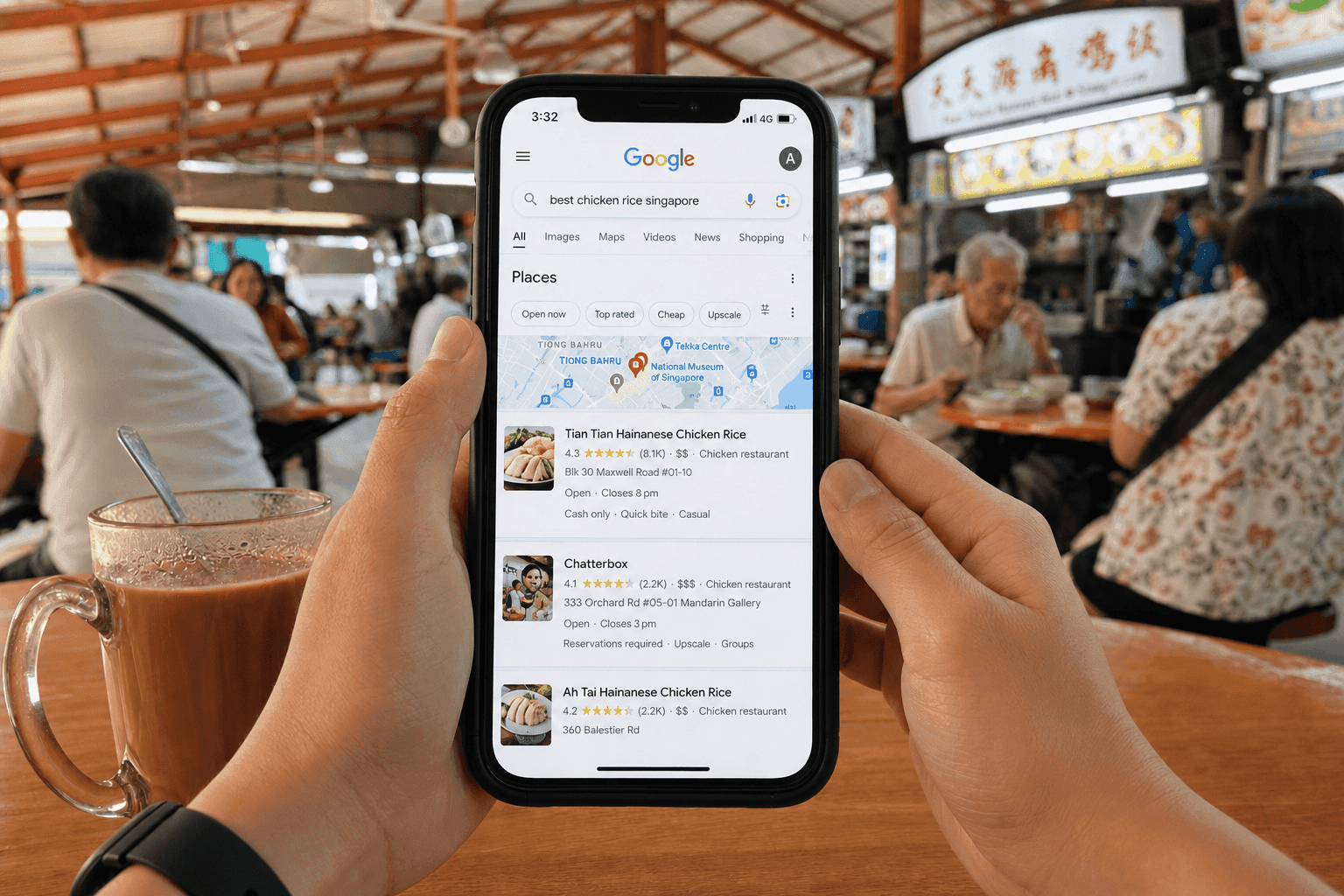
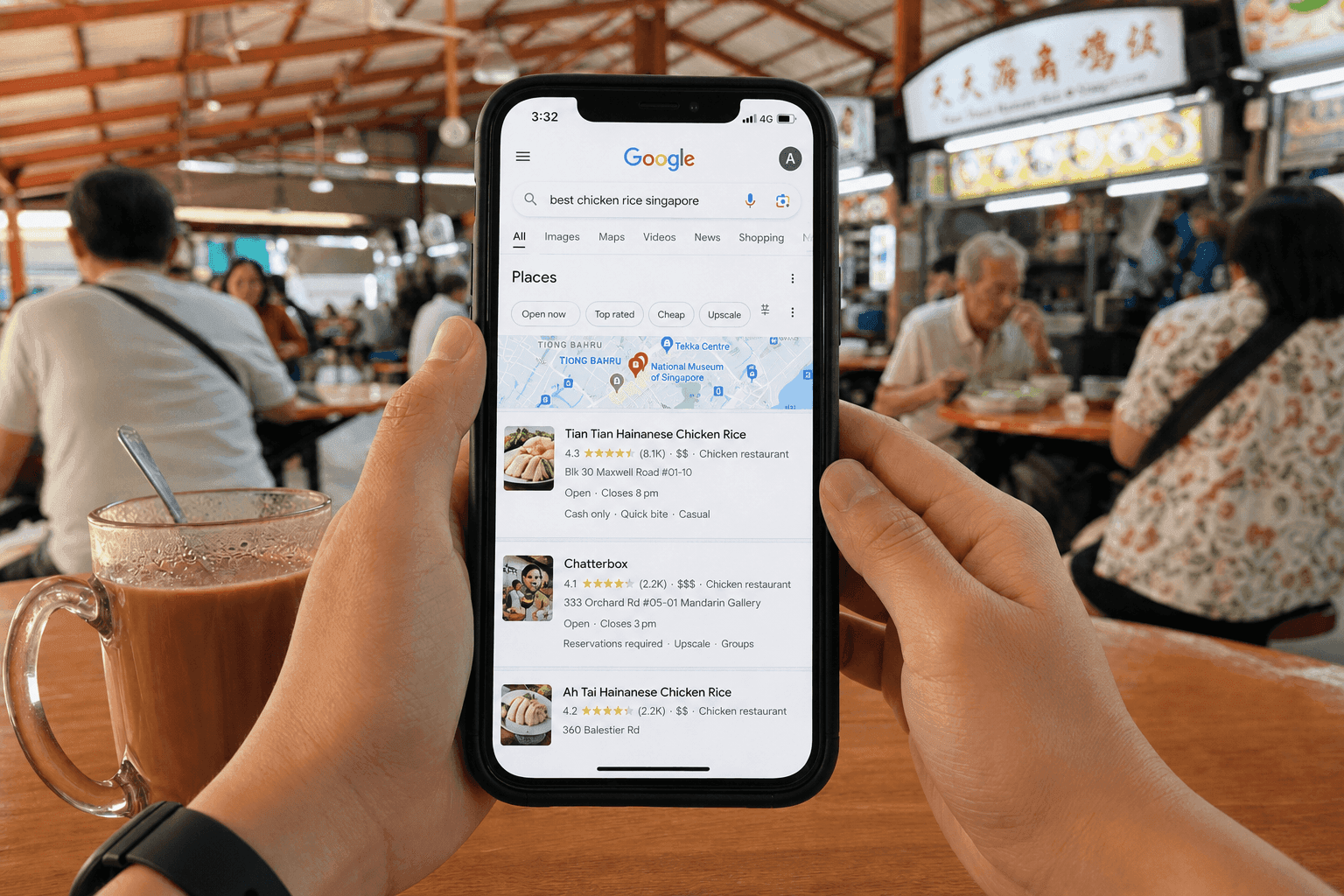
Google owns over 90% of Singapore's search engine market. That one number tells you exactly where your future customers are spending their time. Whether they need aircon servicing in Tampines, a wedding photographer in the CBD, or accounting software for their SME — they're Googling it.
Google Ads is a pay-per-click (PPC) platform. Pay-per-click means you only pay when someone actually clicks your ad. No clicks, no charge. Think of it like a hawker stall — you only pay rent when a customer actually sits down, not just for walking past.
Here's the part most SME owners don't realise. Google Ads doesn't automatically reward the biggest spender. A sharp, well-targeted campaign from a five-person shop in Jurong can outrank a multinational's lazy, bloated campaign. Relevance and strategy beat raw budget. The playing field is fairer than you think.
How Google Ads Actually Works (No Jargon)
Every time someone types something into Google, a lightning-fast auction happens behind the scenes. Your ad doesn't just compete on price. It competes on your bid, your ad quality, and how useful your webpage is. Understanding this saves you money. Not understanding it burns your budget quietly.
The Google Ads Auction Explained
Let's use a real Singapore example. Say three businesses are all bidding on the keyword "affordable accounting software Singapore."
- Business A bids S$4.00 per click but has a generic ad that barely mentions accounting software, pointing to their homepage.
- Business B bids S$2.50 per click, has an ad headline that says "Affordable Accounting Software for SG SMEs," and links to a dedicated landing page with clear pricing and a free trial CTA.
- Business C bids S$3.00 per click with a decent ad but a slow, mobile-unfriendly website.
Business B could easily take the top spot despite the lower bid. That's because Google rewards relevance, not just money. Google calculates something called Ad Rank for every advertiser. Think of Ad Rank like a score combining your bid and your quality rating. Higher score wins better placement. Lower quality means you pay more and still show up lower down the page.
This is why understanding the system matters more than simply throwing money at it. Quality Score is the biggest factor in your Ad Rank — and we'll break it down fully in the next section.
Quality Score — Why It Matters More Than Your Budget
Quality Score is Google's 1–10 rating of how good your ad actually is. It's built from three things:
- Expected Click-Through Rate (CTR) — How likely are people to click your ad based on past data?
- Ad Relevance — Does your ad actually match what the person searched for?
- Landing Page Experience — Is the page you send people to fast, mobile-friendly, and relevant?
A Quality Score of 8–10 can cut your cost per click dramatically. A competitor with a score of 3–4 pays more and ranks lower, even if they bid higher. That third component — landing page experience — is where many Singapore SMEs quietly lose money. Sending paid traffic to a slow or generic homepage is like running a great TV ad, then having someone answer the phone with "Uh, who's this?"
If your website isn't already turning visitors into leads, fix that before you spend a single dollar on ads. Uniqode's web development services are built specifically to create fast, conversion-focused sites that support exactly this kind of campaign performance.
The Main Types of Google Ads Campaigns
Before you set up a single campaign, you need to know which format fits your goal. Here are the four most relevant options for Singapore SMEs.
Search Campaigns
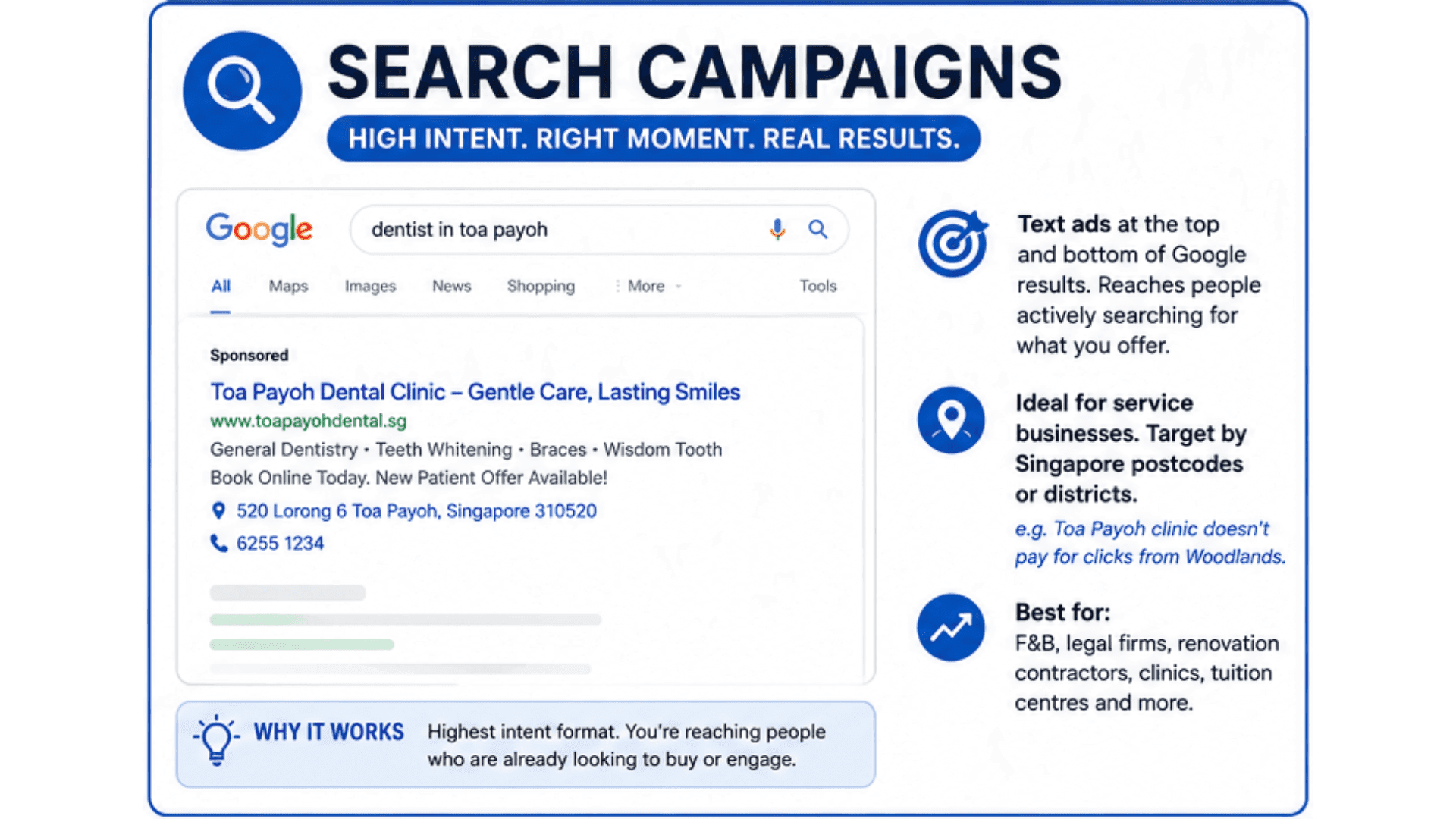
Search ads are text ads that appear at the top and bottom of Google's results page. This is the highest-intent format available. You're reaching people who are actively typing in exactly what you sell.
Search campaigns work brilliantly for service businesses — F&B, legal firms, renovation contractors, clinics, tuition centres. You can target by specific Singapore postcodes or districts. A Toa Payoh dental clinic doesn't need to pay for clicks from someone in Woodlands who will never make the trip.
Display Campaigns
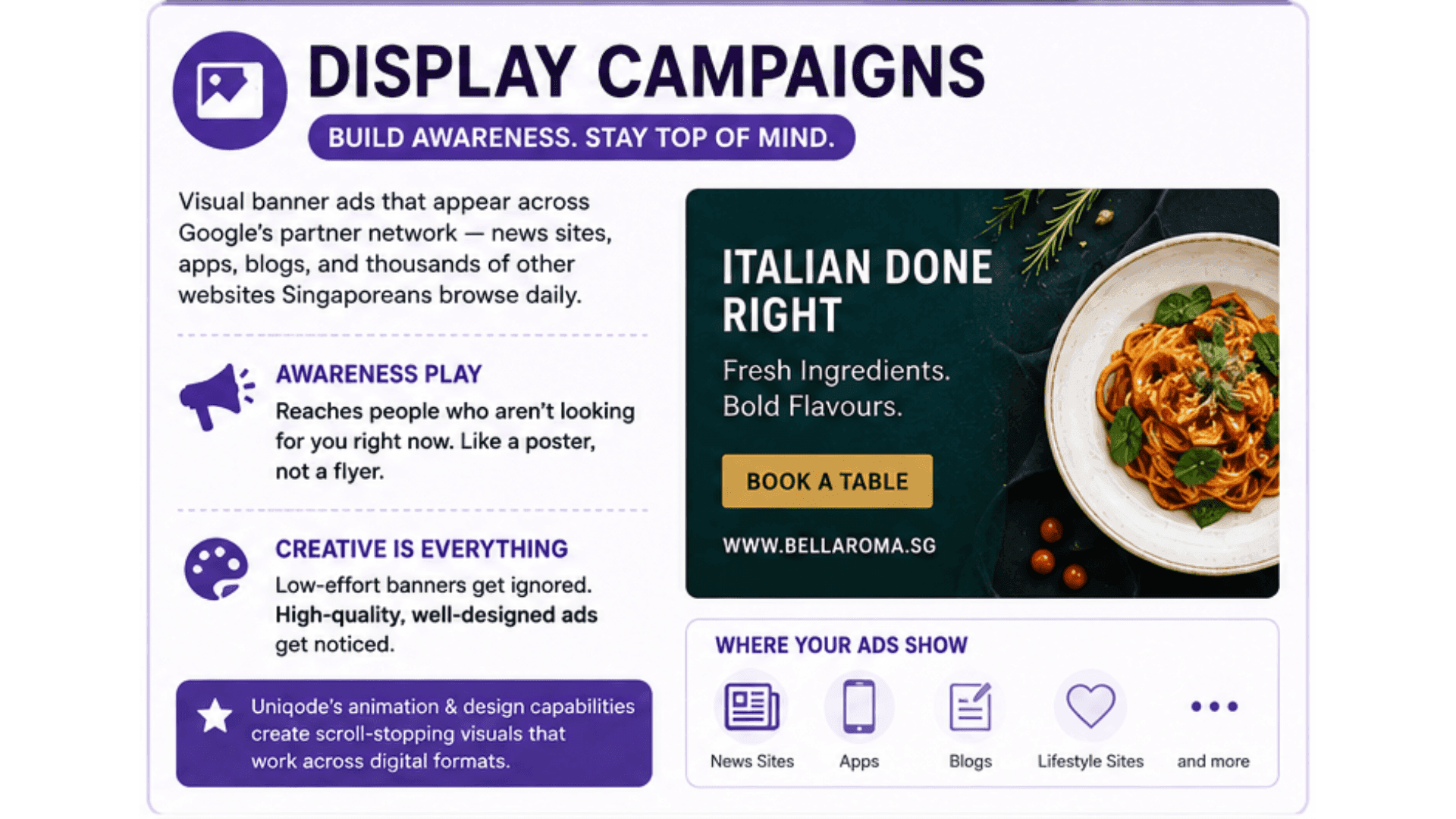
Display ads are visual banner ads. They appear across Google's partner network — news sites, apps, blogs, and thousands of other websites Singaporeans browse every day. Unlike Search, Display reaches people who aren't looking for you right now. It's an awareness play, like putting up a poster rather than handing out flyers to people already asking for directions.
The challenge with Display is that creative quality matters enormously. A static, low-effort banner gets ignored. Uniqode's animation and design capabilities are built for exactly this — producing scroll-stopping visual assets that work across digital formats.
Performance Max Campaigns
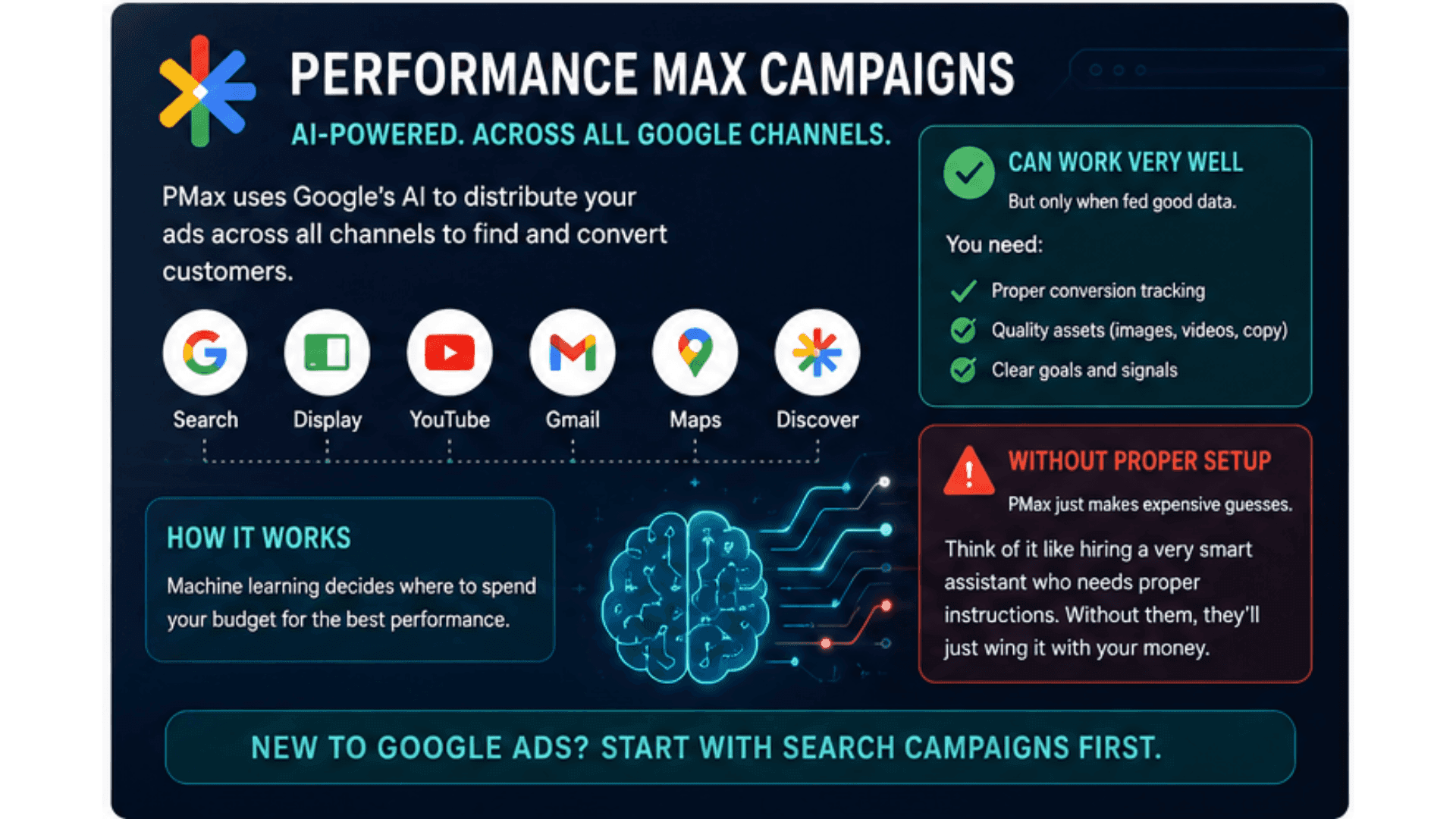
Performance Max (or "PMax") is Google's newest AI-driven campaign type. It distributes your ads across every Google channel at once — Search, Display, YouTube, Gmail, Maps, and Discover. Machine learning then decides where to spend your budget.
For busy SME owners, PMax sounds appealing. It can work well — but only when fed good data. If your conversion tracking isn't set up properly, PMax just makes expensive guesses. Think of it like hiring a very smart assistant who needs proper instructions. Without them, they'll just wing it with your money. If you're brand new to Google Ads, start with Search campaigns first.
Shopping Campaigns
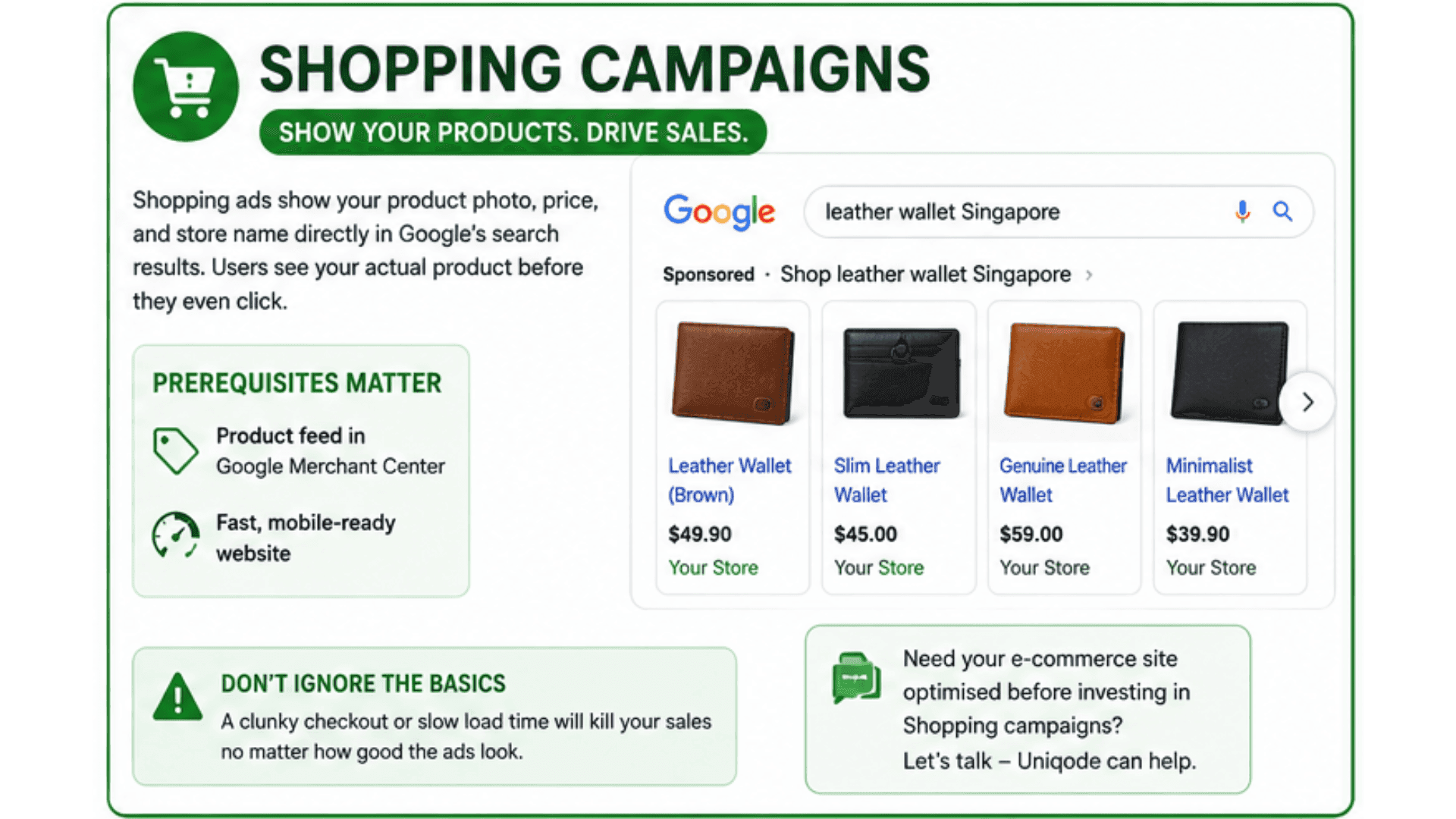
If you sell physical products online, Shopping campaigns show your product photo, price, and store name directly in Google's search results. A user searching "leather wallet Singapore" sees your actual product before they even click. No ad copy needed.
The prerequisites matter here: you need a product feed set up in Google Merchant Center, and your website needs to be fast and mobile-ready. A clunky checkout or slow load time will kill your sales regardless of how good the ads look. If your e-commerce site needs work before you invest in Shopping campaigns, that's a conversation worth having — see what Uniqode's development team can do.
Setting Up Your First Google Ads Campaign — Step by Step
Step 1 — Define Your Goal Before You Touch the Platform
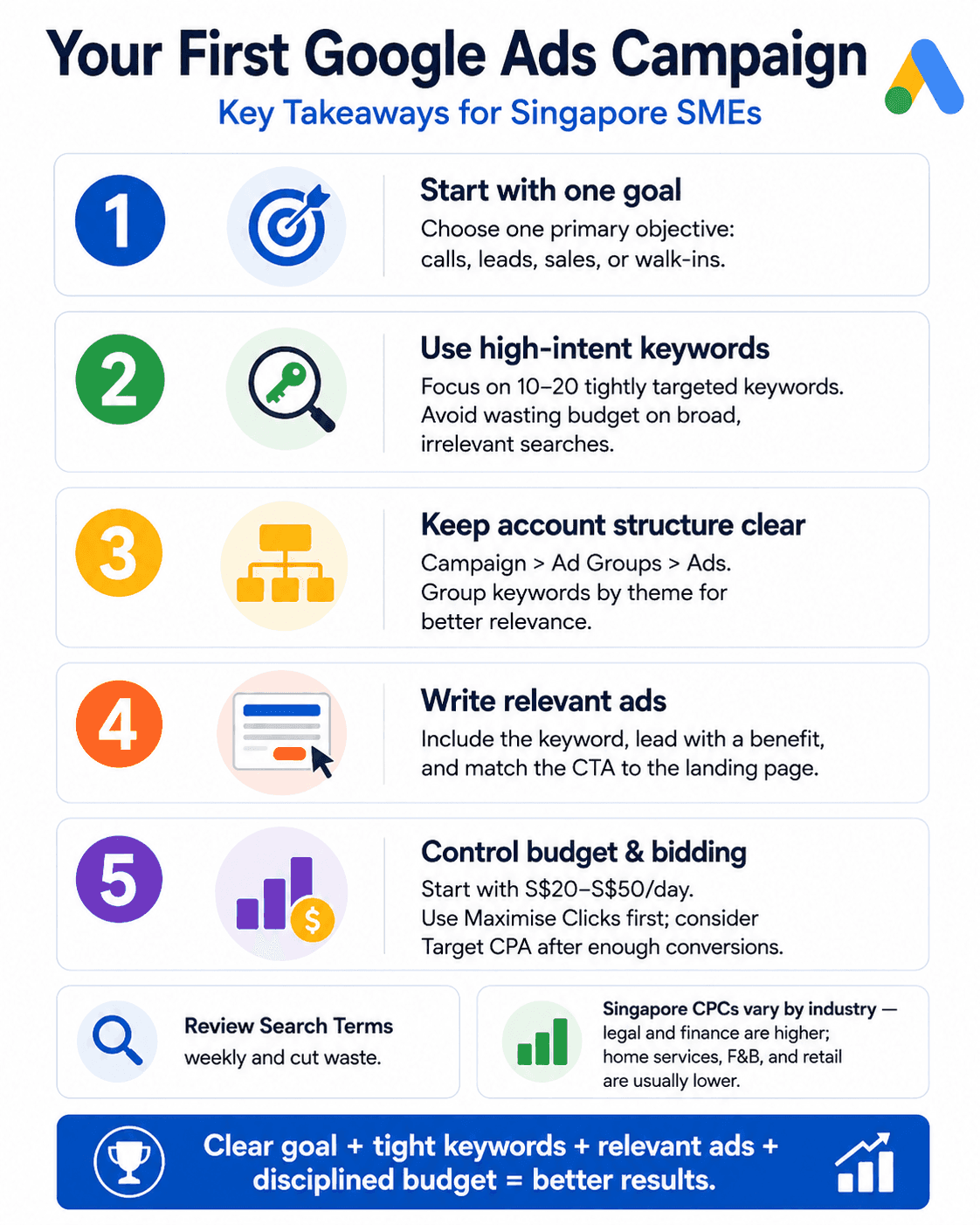
This sounds obvious. It's still where most first-timers go wrong. Google Ads asks you to pick a campaign goal upfront. That choice shapes everything — your bidding options, your campaign type, your settings. Choosing "Brand Awareness" when you actually want leads is like telling a taxi driver the wrong destination. You'll end up somewhere, just not where you needed to go.
Get specific: Do you want phone calls? Form submissions? Online purchases? Store walk-ins? Pick one primary goal per campaign and build everything around it.
Step 2 — Keyword Research the Right Way
Not all keywords are equal. The difference between an informational keyword and a transactional keyword is the difference between someone doing homework and someone reaching for their wallet.
"What is digital marketing" → informational. Someone learning, not buying. "Digital marketing agency Singapore" → transactional. Someone looking to hire.
Use Google's free Keyword Planner tool inside your Google Ads account to find the right keywords. For most SMEs starting out, 10–20 tightly focused, high-intent keywords per ad group is far more effective than a list of 500 loosely related terms. More keywords doesn't mean more reach — it means more waste.
Also watch your match types — these control how closely someone's search has to match your keyword before your ad appears. Exact match means your ad only shows for searches very close to your keyword. Phrase match catches searches that include your keyword phrase somewhere in them. Broad match casts the widest net and can show your ad for loosely related searches you never intended to target. Broad match can bleed budget fast. Check your Search Terms report weekly — pause any search terms that are costing you money but not converting.
Step 3 — Structure Your Campaign and Ad Groups
Think of your account structure like a family tree. Campaign at the top. Ad Groups in the middle. Individual Ads at the bottom.
A Toa Payoh bakery, for example, might have one campaign called "Singapore Bakery — Search," with three separate ad groups:
- Ad Group 1: Custom Cakes ("custom cakes Singapore," "personalised cakes Toa Payoh")
- Ad Group 2: Birthday Cake Delivery ("birthday cake delivery Singapore," "same day cake delivery")
- Ad Group 3: Corporate Orders ("corporate cake orders Singapore," "bulk cake catering")
Each ad group targets a different type of customer. That means your ads can speak directly to what each person searched for. It improves your Quality Score and makes every dollar work harder.
Step 4 — Write Ads That Actually Get Clicked
Google's current standard ad format is the Responsive Search Ad (RSA). You give Google up to 15 headlines and 4 descriptions. Google then mixes and tests combinations to find what works best. It's like A/B testing on autopilot.
A few practical rules that consistently work:
- Include your main keyword in at least one headline — it shows the user their search was understood
- Lead with a benefit, not a feature — "Save 3 Hours a Week on Invoicing" beats "Cloud-Based Accounting Software"
- Match your CTA to your landing page — if your ad says "Get a Free Quote," your landing page needs a free quote form, not a product catalogue
- Use Singapore-specific language where it helps — mentioning "Singapore-registered business," "HDB-friendly," or "islandwide delivery" builds instant local trust
Step 5 — Set Your Budget and Bidding Strategy
Your daily budget is the maximum Google spends on that campaign each day. Note that Google can occasionally spend up to double your daily budget on high-traffic days, averaging out over the month. Start conservatively — S$20–$50 per day gives you enough data to see what's working without overcommitting.
For bidding strategy, two options work well for beginners:
- Maximise Clicks — Google sets bids automatically to get you the most clicks within your budget. Good for early-stage campaigns where you want traffic data.
- Target CPA (Cost Per Acquisition) — You tell Google the maximum you're willing to pay per conversion, and it optimises around that. This works best once you have at least 30–50 conversions for the algorithm to learn from.
One important note on costs: Singapore CPCs (cost per click — what you pay each time someone clicks your ad) vary a lot by industry. Legal and financial services can run S$10–$20+ per click. Home services, F&B, and retail typically sit lower. Know your industry benchmarks before you set expectations.
The Most Common Google Ads Mistakes Singapore SMEs Make
Even with a solid setup, these are the pitfalls that silently drain budgets:
Sending traffic to the wrong page. Running ads to your homepage instead of a relevant, purpose-built landing page is one of the most common and costly mistakes. Every landing page should reflect the specific ad that sent the user there.
Ignoring negative keywords. Negative keywords are search terms you tell Google to exclude. Without them, your ads show up for searches that will never convert. A plumber bidding on "pipe repair" might show up for "pipe repair tools DIY" — clicks from people who will never hire you. Build your negative keyword list from day one.
Not tracking conversions properly. If you can't see which clicks are turning into calls, form fills, or purchases, you're flying blind. Set up Google Ads conversion tracking — or connect Google Analytics 4 — before you spend anything.
Setting it and forgetting it. Google Ads is not a "launch and leave" channel. Check your Search Terms report weekly. Pause underperforming keywords. Test new ad copy. Adjust bids based on real data.
Starting with Performance Max before earning it. PMax needs historical data to work properly. Running it as your very first campaign often means scattered, wasted spend across channels that weren't right for your business to begin with.
Start Smart, Not Just Fast
Google Ads rewards the businesses that understand the system — not just the ones with the deepest pockets. For Singapore SMEs, that's genuinely good news. A focused campaign with 15 well-chosen keywords, tightly written ads, and a fast landing page will consistently outperform a bloated campaign built on guesswork and generic copy.
The practical starting point: define one clear goal. Build one tightly themed Search campaign. Set a modest daily budget you can sustain for 30 days while you gather data. Don't judge performance in the first two weeks — let the algorithm learn, monitor your Search Terms report, and make small, steady adjustments.
If you'd rather skip the trial-and-error phase entirely, Uniqode's digital marketing team runs Google Ads campaigns for Singapore SMEs across industries — from initial strategy and keyword research through to ongoing optimisation and reporting. You can also browse our portfolio to see what results-focused digital work actually looks like in practice.
Ready to talk about what a properly structured Google Ads campaign could do for your business? Get in touch with the Uniqode team — no obligation, no sales script, just a practical conversation about where you are and what's worth doing next.
Digital Marketing
Ready to grow your online presence?
From SEO and social media to paid ads — we build digital marketing strategies that deliver measurable results.